
Halloween is the season for things that go bump in the night. But if you’re a business owner, the scariest things might not be lurking in a haunted house.
They might be hiding in your network.
An old employee account that still has access to company files. Software that hasn’t been updated since who-knows-when. Passwords that are easier to guess than the ending of a horror movie. Or backups that look great on paper but won’t restore when disaster strikes.
Now THAT’S a cybersecurity nightmare. 💀
The good news? You don’t need a cauldron full of cash to start improving your cybersecurity. Some of the most important fixes begin with tightening up the tools, settings and processes you already have.
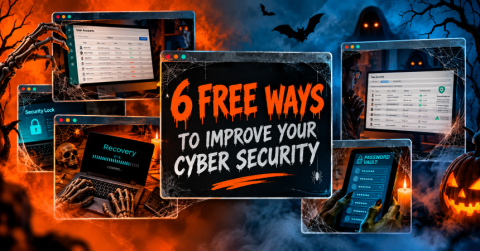
Here are six ways to help keep the cyber-monsters away—without spending a dime on the improvements themselves.
-
Banish Weak Account Security with MFA
Think of multi-factor authentication (MFA) as the garlic around your accounts’ necks. 🧛
Even if a cybercriminal gets hold of a password, MFA adds another verification step that can make unauthorized access much harder.
If you haven’t enabled it yet, start with your most important accounts:
- Microsoft 365 or Google Workspace
- Banking and payroll applications
- Cloud storage
- VPN access
- Other business-critical applications
Many platforms include MFA at no additional cost. Enabling it helps close one of the easiest doors attackers may try to open.
Your mission: Check which important accounts still rely on passwords alone and enable MFA wherever possible.
-
Lay Unused Accounts to Rest
Former employees. Temporary contractors. Vendors you stopped working with three years ago.
Their accounts might still be hanging around your systems like ghosts in the machine. 👻
Unused accounts can create unnecessary opportunities for unauthorized access, especially when nobody remembers they’re still active.
Review your user accounts and ask:
- Does this person still work with us?
- Does this account still serve a business purpose?
- Does this user need all the access currently assigned to them?
If an account is no longer needed, disable or remove it according to your organization’s procedures. If someone still needs access but has more permissions than necessary, tighten those permissions.
Your mission: Exorcise unnecessary accounts before they become an unexpected entry point.
-
Stop Handing Out the Master Keys
Would you give every employee a master key to your office, server room, filing cabinets and executive suite?
Probably not.
So why give everyone administrator privileges on your systems? 🔑
Administrator accounts can install software, change settings and disable security protections. That makes them especially valuable to attackers who compromise an account.
Review who has administrative access and determine whether each person actually needs it to do their job.
Where elevated access isn’t necessary, remove it. Give employees the permissions they need—not the keys to the entire kingdom.
Your mission: Audit administrator privileges and eliminate unnecessary access.
-
Keep Outdated Software from Rising from the Dead
Old software vulnerabilities are like open windows in a haunted house. They can give attackers an opportunity to get inside.
Software updates often include security fixes that address known vulnerabilities. Delaying them can leave systems exposed longer than necessary.
Check that automatic updates are enabled, where appropriate, for:
- Windows and macOS
- Phones and tablets
- Web browsers
- Microsoft Office
- Antivirus and security software
- Critical business applications
Of course, business systems may need testing or scheduled maintenance before updates are deployed. Make sure your update process fits your environment.
Your mission: Review your update settings and make sure important systems aren’t stuck in the digital graveyard.
-
Put Your Passwords in a Crypt—A Secure One
Let’s be honest: remembering dozens of unique passwords is a nightmare of its own.
And when people get tired of remembering them, they often reuse passwords or choose ones that are far too easy to guess.
That’s where a password manager comes in.
A reputable password manager can help employees:
- Generate strong, unique passwords
- Store credentials securely
- Avoid reusing passwords across accounts
- Share credentials securely when needed
Instead of relying on sticky notes, spreadsheets or suspiciously familiar passwords, your team can use a tool designed to manage credentials more securely.
Choose a password manager that fits your business requirements, and protect access to it with strong authentication.
Your mission: Stop letting weak or reused passwords haunt your accounts.
-
Make Sure Your Backups Aren’t a Horror Story
Here’s the cybersecurity nightmare nobody wants to experience.
It’s Monday morning. Employees can’t access their files. Critical systems are down. Someone asks whether the backups are available.
Everyone says yes.
Then comes the terrifying question:
“Has anyone actually tested a restore?” 😱
Having backups is important, but a successful backup doesn’t automatically guarantee a successful recovery.
You need to know that your data can be restored and understand how long recovery might take.
Start by asking:
- When did the last successful backup run?
- Has a restore been tested recently?
- How long would recovery take?
- Are backup copies protected against the same threats that could affect production systems?
Testing should be part of your recovery plan, not something you attempt for the first time during a crisis.
Your mission: Verify that your backups work and that you have a realistic plan for getting back up and running.
Don’t Let Cybersecurity Nightmares Become Reality
You don’t need a massive technology overhaul to start reducing cyber risk.
Enabling MFA, removing unused accounts, limiting administrator access, updating software, managing passwords properly and testing backups are practical steps that can help strengthen your defenses.
But remember: these improvements are a starting point, not a complete cybersecurity strategy. Your business may need additional safeguards based on its systems, data, operations and risk level.
That’s where TechnologyEdge can help.
We’ll help you evaluate your current IT environment, identify potential vulnerabilities and determine which improvements deserve your attention first. No crystal ball required. 🔮
Ready to Banish Your Cybersecurity Boogeymen?
Don’t wait until something goes bump in your network.
Click Here to schedule a 10-minute discovery call with TechnologyEdge to discuss your cybersecurity concerns and figure out where to start.
Because the scariest thing isn’t a ghost in the machine.
It’s discovering a security gap after someone else has already found it.
For more information:
☎️ CALL 504-334-TECH
📨 EMAIL contact@technologyedge.com
📅 SCHEDULE https://go.appointmentcore.com/book/LFUrcCnR
📲 FOLLOW our socials: Facebook | LinkedIn